
withoutBG for Mac: Free Offline Background Removal
127.0.0.1.Private · Offline · Open Weights · macOS 14+ · Apple Silicon
Download#
| Latest version | Download from GitHub |
| Direct link (v1.0) | withoutBG-1.0.dmg |
How to install#
- Download the
.dmgfile from the link above. - Open the downloaded file and drag withoutBG into your Applications folder.
- Open withoutBG from Applications.
On first launch, macOS may show a security prompt because the app was downloaded from the web. Click Open to confirm. The release is signed and notarized by the developer.
Coming next: one gateway, two specialist models#
The next community release automatically routes each image to the model suited to its edges. withoutBG trains and maintains the matting branch for hair, fur, soft detail, and transparency. BiRefNet handles segmentation for opaque objects, flat scenes, and vehicles.
Matting → withoutBG
Fine strands, soft boundaries, and partially transparent regions.
Segmentation → BiRefNet
Solid subjects and clearly defined object boundaries.
This pipeline is being prepared for Python, the Mac app, Docker, and Hugging Face. GIMP uses the gateway in its connected Mac or Docker server. Routing runs wherever inference runs; local installations keep images on your device. Existing downloads and benchmark results still refer to the released model until the new bundles ship.
What you need#
| Mac | macOS 14 (Sonoma) or newer |
| Processor | Apple Silicon (M1, M2, M3, M4, and later) |
| Storage | About 600 MB of free disk space |
No account, subscription, or internet connection is required to process photos.
What it does#
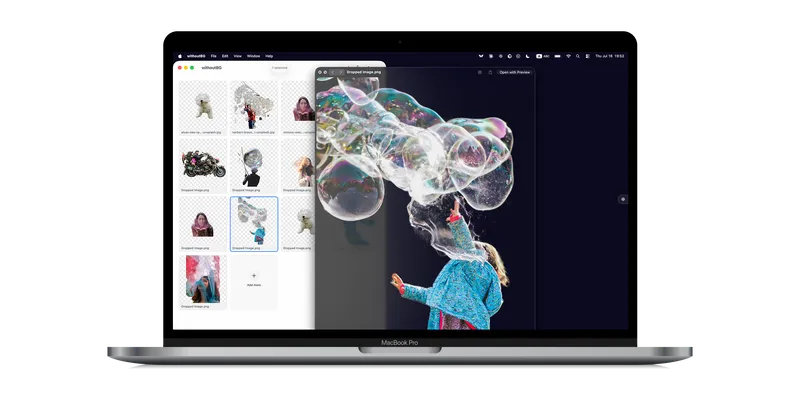
withoutBG for Mac is a simple photo editor for removing backgrounds in batches. For folder-scale workflows across Mac, Python, and Docker, see batch background removal.
- Add photos by dragging them into the window, using File → Open, or pasting from the clipboard (up to 20 at a time).
- Automatic processing: backgrounds are removed as soon as you add images. You can watch progress on each thumbnail.
- Choose a background: transparent (for stickers and overlays), white, or black. This is applied when you save.
- Save your results: download one image at a time, or export everything as a ZIP file.
- Preview: press Space to preview a result full-screen; use arrow keys to move between images.
- Light or dark: match your Mac's appearance or pick light or dark mode.
Getting started#
- Open withoutBG from Applications.
- Drop one or more photos onto the window (or press ⌘O to choose files).
- Wait while each photo is processed. A cutout preview appears when it is done.
- If you want a solid background instead of transparent, pick white or black in the toolbar.
- Save your work:
- Right-click a thumbnail and choose Download to save a single PNG.
- Choose Export All… (⇧⌘E) to save every finished photo into one ZIP file.
Your photos never leave your Mac.
Local API#
The same app can run a Local API from the menu bar. Start it with the Start Local API button on the empty state, or from the menu bar icon. The server listens on http://127.0.0.1:8000 and stays on your Mac.

- Status: green indicator when the Local API is running, plus port, requests served, model version, and uptime.
- Copy Endpoint URL or Copy OpenAPI URL for scripts and clients.
- Open API Documentation and Request Log for debugging.
- Open Desktop returns to the batch photo UI.
Full request shape and examples: Local API docs. For CI without a UI, see Mac headless.
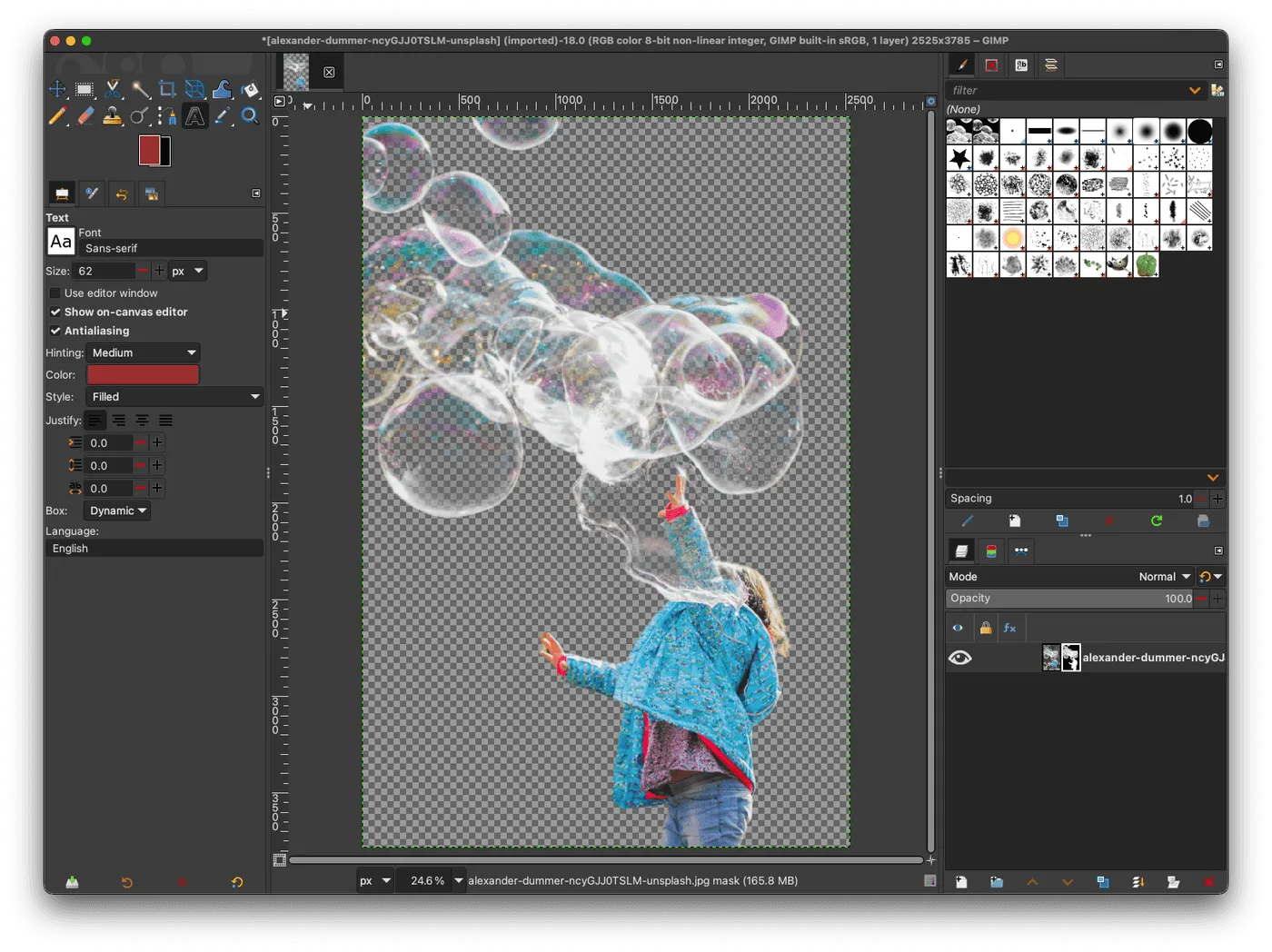
GIMP plugin setup: /open-model/plugins/gimp.
Keyboard shortcuts#
| Action | Shortcut |
|---|---|
| Open photos | ⌘O |
| Paste photos | ⌘V |
| Export all | ⇧⌘E |
| Copy result | ⌘C |
| Delete selected | ⌘⌫ |
| Select all | ⌘A |
| Undo / Redo | ⌘Z / ⇧⌘Z |
| Preview | Space |
| Move between previews | ← / → |
Right-click any thumbnail for Preview, Download, Copy, Rename, or Delete.
Settings#
Open withoutBG → Settings (or press ⌘,):
- Default export location: choose a folder, or leave as “Ask every time”.
- Reveal in Finder after export: open the folder where your file was saved.
- Appearance: Light, Dark, or match System.
All processing happens on your Mac. There is no cloud option.
Privacy#
- No account or sign-in.
- No photos sent over the internet for processing.
- No tracking or analytics in the app.
See Open Model license for terms around the background-removal model.
Is this the right tool for you?#
| You want to… | Try |
|---|---|
| Remove backgrounds from photos on your Mac, privately and for free | withoutBG for Mac (this app) |
| Get the highest quality on hair, fur, and fine edges | withoutBG Pro Model API |
| Use background removal inside other apps or workflows | Open Model |
| Run a Local API for scripts or GIMP (or CI without a UI) | Local API docs · Mac headless |
This app is built for everyday photo editing on your Mac, plus an optional Local API for tools like GIMP. For headless CI, use Mac headless.
Troubleshooting#
| Problem | What to try |
|---|---|
| macOS says the app “cannot be opened” | Right-click withoutBG in Applications and choose Open. You can also allow it under System Settings → Privacy & Security. |
| The first photo takes a long time | Normal on first use. Later photos in the same session are usually faster. |
| The app slows down with many large photos | Process fewer images at once (the limit is 20 per batch), or quit and reopen the app between large batches. |
| The app opens briefly then closes | Check that your Mac is Apple Silicon running macOS 14 or newer. Download a fresh copy from GitHub Releases. |
Uninstall#
- Quit withoutBG.
- Drag withoutBG from Applications to the Trash.
Common questions#
- Does withoutBG for Mac upload my photos?
- No. Images are processed entirely on your Mac. Nothing is sent to the cloud for background removal. No account or sign-in is required.
- Does it work on Intel Macs?
- No. The app requires Apple Silicon (M1, M2, M3, M4, and later) and macOS 14 (Sonoma) or newer. Intel Macs are not supported.
- Do I need an internet connection?
- Not for processing. After you download and install the app, background removal works offline. Internet is only needed to download the .dmg.
- Is the Mac app free?
- Yes. The app is free to download and use. The open weights model is covered by the Open Model license.
- Can I use it from GIMP or scripts?
- Yes. Start the Local API from the menu bar (
http://127.0.0.1:8000). Point the GIMP plugin or any HTTP client at that endpoint. For CI without a UI, see Mac headless. - How is this different from the Pro Model API?
- The Mac app runs the open weights model locally for privacy and offline use. The Pro Model API is a cloud endpoint tuned for higher quality on hair, fur, and fine edges, with pay-as-you-go credits.
Related#
| Local API | /docs/open-model/local-api |
| Headless Mac server (CI) | /mac/headless |
| GIMP plugin | /open-model/plugins/gimp |
| Example results | /open-model/results |
| Open Model overview | /open-model |
| Model license | /open-model/license |
| Support the project | /open-model/support |