Background Removal as an API, a Self-Hosted Model, or Open Weights

Call the managed Pro Model API, license Pro Model Self-Host to run on your own servers, or self-host the free open-weights model. All three are benchmarked on the same photos, and we publish the results.

Pro Model Self-Host: a commercially licensed model with near-API quality that runs on your own servers. Pricing on request via the contact page.

Open weights quick start: run with Docker using docker run -p 80:80 withoutbg/app:latest, or install via Python with pip install withoutbg. Apache-2.0 license. View source on GitHub at https://github.com/withoutbg/withoutbg

Three ways to run withoutBG

Call our API, license the Pro model for your own servers, or self-host the free open weights.

Pro Model API

Managed REST API, pay per image.

  • The most accurate of the three models
  • Frankfurt, DE. RAM-only processing, never used for training
  • Credit packs or a monthly plan, from €0.05/image

Starts with 50 free credits. No credit card required.

How they compare

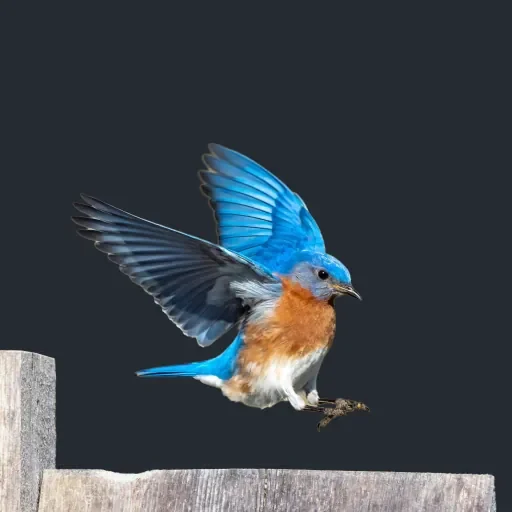
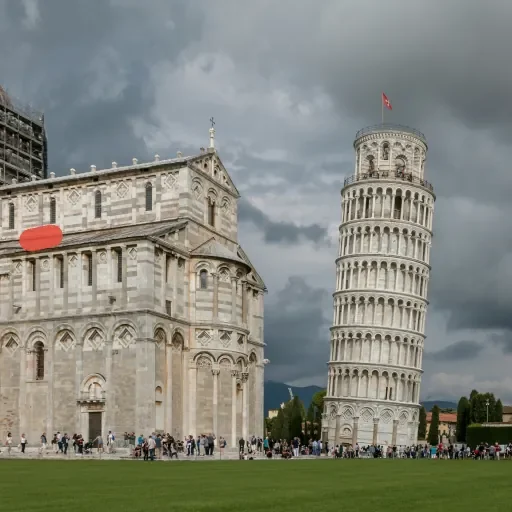
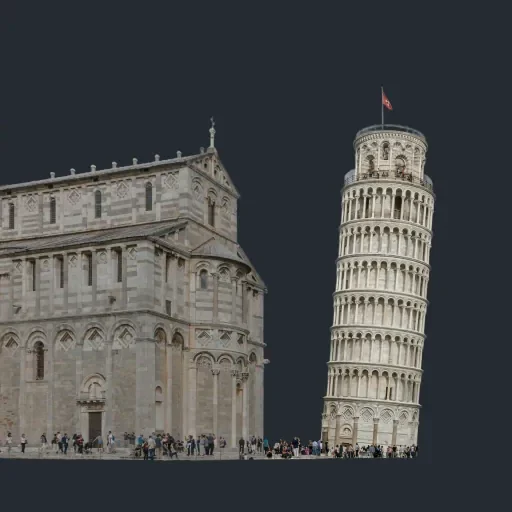
All three models scored on the same 36 photos with ground-truth alpha mattes. Lower is better. Pro Model API is the most accurate; Pro Model Self-Host comes close and runs on your own servers.

withoutBG model accuracy on 36 photos with ground-truth alpha mattes. Lower is better.
ModelMAEEdge (MGE)Runs onPrice
Pro Model API0.03070.0323withoutBG cloud (Frankfurt)Pay per image
Pro Model Self-Host0.03130.0333Your infrastructureOne-off, from €3,600
Open weights0.03280.0389Your infrastructureFree

Image by image: Self-Host vs APIOpen weights vs Self-HostOpen weights vs API

Run the open weights

Free under Apache-2.0. Pick the setup that fits your stack; no API key, nothing leaves your network.

withoutBG for Mac: desktop app and local HTTP server

macOS App

  • Native desktop app with drag-and-drop batch processing
  • Optional Local API for GIMP, Blender, and scripts on localhost
  • On-device Apple Silicon inference, works offline after install
GIMP 3 plugin for local background removal

GIMP Plugin

  • Remove backgrounds from the GIMP 3.0 Tools menu
  • Calls a local withoutBG server on localhost
  • Attaches the alpha matte as an unapplied layer mask
withoutBG Docker web UI and API for self-hosted background removal

Docker

  • Web UI: one docker run command, inference on port 80
  • Headless API: same /v1.0/image-without-background schema as cloud
  • Images stay on your network, nothing leaves the container

Specs and limitations

Specifications, security, training data, and known limitations for Pro Model API, Pro Model Self-Host, and the open weights.

Background removal models

Security and privacy

  • Self-hosted (Pro Model Self-Host and open weights): Runs in your infrastructure; no images are sent to withoutBG. Full control over image data.

  • API: Frankfurt, DE (EU). TLS in transit. RAM-only processing; images discarded after the response. No disk writes, caches, or backups.

  • No customer training: Uploads are never used to train or fine-tune models. Processing buffers zeroed after response.

  • Logging: Timestamp, endpoint, duration, status, request size, API key hash. No image bytes or perceptual hashes.

  • Analytics: No cookies on the web UI. Ahrefs (privacy-friendly). In-house CAPTCHA for abuse prevention.

Training data

  • Public photos: Unsplash/Pexels under permissive licenses; we created alpha mattes. withoutBG100 dataset

  • Licensed sets: Purchased image sets with explicit derivative rights.

  • Synthetic renders: Randomized lighting/camera with ground-truth mattes from the render pipeline.

  • Studio captures: Hair, translucency, shadows. Dataset guide

  • Scale: ~60K image/matte pairs after QA (2025-10-01), expanding.

Limitations

  • API input cap: Maximum 20 MB per image (JPEG, PNG, WebP, AVIF, HEIC, TIFF, BMP, GIF). The browser demo takes JPEG, PNG, WebP and AVIF, since your browser decodes the image first.

  • Open-weights latency: Depends on your CPU/GPU and image resolution. No fixed SLA.

  • Subjective boundaries: When foreground vs. background is ambiguous, multiple valid cutouts exist. Future release will bias toward nearest-camera subjects.

FAQ

Common questions about Pro Model API, open-weight model, pricing, and privacy.

Is it really free?

Open weights: Apache-2.0. Commercial use, modification, and redistribution permitted at no cost. Pro Model API: freemium, 50 free credits on signup, then pay-as-you-go. Pro Model Self-Host: paid license, one-off fee from €3,600 (excl. VAT).

  • Open weights: self-host with Python, Docker, or the macOS app. No API key, no outbound data.
  • Pro Model API: credit packs for occasional use or optional monthly subscription. Cancel any time. See pricing.
  • Pro Model Self-Host: one-off fee for a perpetual license, from €3,600 (excl. VAT). See license terms.
  • No subscription lock-in on any option.

Which one should I use?

Pick by where images may go and how much accuracy you need. See the benchmark for all three on the same photos.

  • Pro Model API: managed REST API in Frankfurt, DE. The most accurate of the three. p95 ≈ 1.95 s server-side. Pay per image.
  • Pro Model Self-Host: for images that can't leave your network. Slightly behind the API, ahead of the open weights. Runs on your servers under a commercial license.
  • Open weights (Apache-2.0): free, runs on your hardware, CPU or GPU. Weaker on hair, fur, and complex edges. No SLA.
  • The API and the open-weights Docker image share the /v1.0/image-without-background endpoint, so you can switch between them.

How is Pro Model Self-Host licensed?

A perpetual license for a one-off fee, with 12 months of updates. From €3,600 (excl. VAT) for the background removal model.

  • Runs only on infrastructure you control: on-premise or your own cloud account. Images are never sent to withoutBG.
  • Shipping the model to end-user devices needs a separate written agreement.
  • The price depends on how many models you license. Each additional model (for example custom shadow models, car window generation or background generation) is quoted on top.
  • License terms summarize what the license allows. Contact sales for a quote.

How fast is it?

Pro Model API: p95 ≈ 1.95 s server-side in Frankfurt, DE. End-to-end time adds upload, TLS handshake, queue, and download.

  • Open weights: latency depends on your CPU/GPU and image resolution. No fixed SLA. Typical range on Apple Silicon: 0.3–2 s.
  • API: processing starts as soon as the upload completes. The demo on /pro-model-api shows your real measured latency per call.

Do you store or train on my images?

No. API images are processed in RAM and discarded after the response. Self-hosted inference (Pro Model Self-Host or open weights) sends nothing to withoutBG.

  • API storage: no disk writes, thumbnails, caches, or backups. RAM-only; buffer zeroed after response.
  • Region: Frankfurt, Germany (EU). TLS in transit.
  • Logs: metadata only: timestamp, endpoint, duration, status, request size, API key hash. No image bytes or perceptual hashes.
  • Training: customer uploads are never used to train or fine-tune models. See privacy policy.

How do I self-host?

Three lines of Python or one Docker command. Apache-2.0, no API key required.

  • Python: uv add withoutbg (or pip install withoutbg). See Python docs.
  • Docker: docker run -p 80:80 withoutbg/app:latest starts a local web UI. The headless service exposes the same /v1.0/image-without-background API as the cloud. See Docker docs.
  • macOS: native desktop app and headless server for Apple Silicon, with or without internet. See macOS app.
  • Guide: self-hosted background removal.
  • Model weights are hosted on Hugging Face in ONNX format.

Supported by

NVIDIA Inception Program
AWS Activate Program